A turbogears caching decorator

May 31st, 2008

A while back I wrote a caching decorator for chrss. It’s mostly used for the rss feeds, to help avoid having over-zealous rss readers slowing the site down. However I’m also now running it on a few other pages that were a bit slow (notably generating PGN files for games).

After letting it sit for a while Ian and Kyran also started using it on ShowMeDo. That was a couple of months ago. So now that I can be fairly certain it works it seemed like time to share it with the world.

So first off here’s a few features/comments:

  • It’s shamelessly based on code from Django (the caching backends at least)
  • It features an “anti-dogpiling” mechanism to try and make sure only one thread triggers a cache refresh
  • Multiple backends supported:
    • dummy - does no caching (for testing/development use)
    • simple - just uses a dictionary (for testing/development use)
    • localmem - thread-safe cache for use in process
    • file - uses file-system to cache data (this is what’s used with chrss and ShowMeDo)
    • memcache - uses memcached for caching (it should work, but not massively tested at the moment)

Now for some example usage:


from turbogears import expose, controllers
from cache import cache_result

class MyController(controllers.Controller):

    @expose(content_type="text/plain")
    @cache_result()
    def cache_some_text(self):
        ''' no template so it's pretty straightforward - expose just has to come first '''
        return 'this will be cached'

    @expose(template="my_template)
    @cache_result()
    def cache_data_only(self):
        ''' with a template we can just cache the data and not rendered html '''
        return dict(value='this dictionary will be cached')

    @expose()
    @cache_result()
    @expose(template="my_template)
    def cache_html(self):
        '''
        or we can cache the rendered html, but we have to use an outer expose()
        to make the method public
        '''
        return dict(value='will be cached with the html')

To see how you can use the @cache_result() you are probably best looking
at the source (there’s a fairly detailed comment explaining it). The following parameters can
be passed in:

  • key_fn - function used to derive a key to store the data in (default uses current url and user identity)
  • version_fn - can be used to control how a cached value expires (defaults to a function that returns the same value everytime)
  • timeout_seconds - how many seconds until the value start to expire

The default key function can be controlled via the config parameter cache.decorator.anon_only. If set to True (the default) it will only look in the cache for data when users are not logged in. Otherwise when users are logged in it will use a key just for them. The default is handy if you just want to avoid problems with a flood of anonymous users (e.g. from Slashdot/Digg etc).

The version function can be used to force expire cached values. The value of the version function is compared to the value stored in the cache and if different this triggers a cache refresh. For example if the version function was based on the number of comments in a blog post, then whenever a comment was added to the blog post the cache would get refreshed. This avoids having to wait for the cache to expire.

timeout_seconds specifies how many seconds before a value expires. It defaults to the value set in cache.decorator.timeout_seconds in your config file (or 1800 seconds if not set there).

anti-dogpiling

So first I’ll explain what I mean by “dogpiling” with respect to cache expiry.

The standard way to use a cache is to do something like:


value = cache.get('key', None)
if value is None:
    value = recompute_cached_value()
    cache['key'] = value
return value

Now this is fine normally. When the cached value expires the next request will simply call recompute_cached_value() and the cache will be updated for future requests.

The trouble arises when recompute_cached_value() takes a long time to run and you have have a lot of other requests running at the same time. If a request is still recalculating the value and another request comes along, then that will also attempt to recalculate the value. This will in turn probably slow down the calculation going on, making it more likely that the next request to arrive will also trigger a recalculation and so on. Very quickly you can end up with tens/hundreds/thousands of request all attempting to recalculate the cached value and you have lost most of the advantage of caching in the first place.

So to handle this situation more gracefully this caching decorator employs a two stage expiry.

First there is a hard cut off expiry that works like normal. This is set to occur later than the other expiry time and is the value that would be fed to memcache or equivalent.

The second expiry time set is the one normally used. Basically when we store/retrieve the cached data we also have access to this expiry time (and the version). If we see that we need to recalculate the value (due to the expiry time being in the past or the version being different), then we attempt to grab a lock to recalculate the value. If we don’t grab the lock, we assume another thread is doing the recalculation and rather than wait around we simply serve up the old (stale) data. This should mean that one thread (potentially per-process) will end up doing the recalculation rather than several.

This also means that we don’t have to remove a value from the cache to force a refresh (which might cause dogpiling). Instead we can update whatever value we use in our version function, to trigger a graceful refresh.

conclusion

So that’s a basic intro to this caching decorator. It’s quite a handy quick way of adding some caching to your turbogears app. You’ll need to see how well it works for you. I’m providing it “as is” and making no claims about anything. Feel free to incorporate it into your code and modify as you see fit. Just let me know if you have any issues or feedback.

bonus decorator

The cache code also includes a simple decorator to control the Expires header sent out with a response:


def expires(seconds=0):
    '''set expire headers for client-size caching'''
    def decorator(fn):
        def decorated(*arg,**kw):
            cherrypy.response.headers['Expires']=formatdate(_current_time()+seconds)
            return fn(*arg,**kw)
        return decorated
    return decorator

It’s handy for getting the client to cache some data for us too. I use it on some of the PIL generated images served up via my app.

source code

Download turbogears caching decorator

The source for the decorator(s) includes a simple test suite (to be run using nose).

chrss (chess by rss) update 22

December 6th, 2007

Another update for chrss. No major changes to the chess part itself, but I’ve just added a blog so I’ve got a dedicated place to discuss chrss.

This marks the start of me adding some actual “content” to chrss. Up until now chrss (as a site) has basically consisted of a front page and a bunch of chess games! It’s been extremely functional, but I felt it was time for chrss to grow up a bit. It might also help me attract a few more visitors, as currently there’s not exactly much for the search engines to search on!

chrss (chess by rss) update 21

November 26th, 2007

Another update to chrss.

  • tweaked front page layout to make it clearer and show different options depending on if you are logged in or not
  • addition of a help section (with backend CMS for myself to add content to it).

At the moment the help section is not directly linked from the front page of chrss. I need to get some more content in there and figure out where best to link it.

When developing in your spare time automated tests are your best friend

November 22nd, 2007

Well I just finished fixing a bug in chrss and it’s made me very glad that I’ve been using automated tests.

The bug looked like it might be very tricky to track down and I feared that it might get messy. In the end it proved to be a slight edge case I’d not catered for and was pretty easy to fix.

First I quickly tracked down the stack-trace in my logs:


  File "/home2/lilspikey/webapps/chrss2/chrss/controllers/game.py", line 226, in move
    game.make_move(game.turn,move)
  File "/home2/lilspikey/webapps/chrss2/chrss/model.py", line 239, in make_move
    self._record_move(chess_game,color,move)
  File "/home2/lilspikey/webapps/chrss2/chrss/model.py", line 202, in _record_move
    incheck=chess_game.in_mate()
  File "/home2/lilspikey/webapps/chrss2/chrss/chess2.py", line 213, in in_mate
    return self._board.calc_mate(self.game_state)
  File "/home2/lilspikey/webapps/chrss2/chrss/chess2.py", line 915, in calc_mate
    can_move=self.any_legal_moves(game_state)
  File "/home2/lilspikey/webapps/chrss2/chrss/chess2.py", line 990, in any_legal_moves
    legal=self.legal_moves(game_state,pos)
  File "/home2/lilspikey/webapps/chrss2/chrss/chess2.py", line 984, in legal_moves
    return self._filter_check_moves(game_state,moves)
  File "/home2/lilspikey/webapps/chrss2/chrss/chess2.py", line 1029, in _filter_check_moves
    board.move_piece(move) # make the move
  File "/home2/lilspikey/webapps/chrss2/chrss/chess2.py", line 1103, in move_piece
    moved_piece,taken_piece,castled,enpassant,updated_positions=self._calc_move(move)
  File "/home2/lilspikey/webapps/chrss2/chrss/chess2.py", line 1081, in _calc_move
    raise ValueError("illegal castling move")
ValueError: illegal castling move

Next step was to create a unit test to replay the moves from the game with the problem. Once I’d got it failing in the same way, I discovered a bug in my logic that meant rooks captured without moving would not update the “castling status” for that side. This led to falsely generating castling moves that weren’t possible and thus the failure in the stack trace (some defensive coding to stop this kind of thing). In this game in particular white’s queen-side rook had been captured without moving and my chess module was reporting that the king could still castle queen-side!

After getting it to work I now had a nice automated regression test for that bug. I also took the time to add a unit test for the actual function that I changed.

Brilliant stuff. Now I can be extra certain that bug is fixed and will stay fixed, as those tests will get run every time I run my test suite. I’m working on chrss in my spare time, so this is really important to me. I really don’t have time to spend manually testing and verifying that _everything_ works.

The more testing I can automate the less testing I have to do. Which means I’ve got more time for adding features or else playing games of chess!

chrss (chess by rss) update 20

November 6th, 2007
  • Updated the user registration process, so hopefully it’s a bit friendlier
  • Users now have a chance to resend their activation email if they have trouble activating their account
  • Tweaked filters for games on user’s page:
    • “active” - games that it’s your turn in or have had a move in the last 30 days
    • “waiting” - un-finished games that aren’t active
    • “finished”
    • “all”

Also improved the code coverage some more.

On a side note there is a preliminary mobile version of chrss available now. However I wouldn’t recommend it for regular use, as making a move currently involves a _huge_ drop down menu. Less than ideal. Still it can be handy for checking whether anyone has move. I’ve got some plans on improving the usability in the future, so check back later to see how it’s doing.

Turbogears and mobile mini-site logins

October 12th, 2007

I’m in the process of to writing a simple mobile version of chrss (chess by rss). This is spurred by the arrival of my new Nokia 6300 (which comes with Opera Mini). I’m aiming to end up with a mini-site running at http://chrss.co.uk/mob/ or similar.

The plan is to keep it _very_ simple. Main page lets you login, then lists your active games (showing which ones it’s your turn to move etc.). From there you’ll be able to get to a game, view the board and make a move. That’ll be it. Dead simple.

Turbogears works quite well for this in some respects - I can encapsulate the mini-site as a CherryPy controller and keep it fairly self contained. Though there is one minor drawback. That being that the identity framework is set up for the main site and will attempt to use the regular login page.

So how do we re-use the whole identity framework, but force access to the mobile mini-site to go via a different login page?

After a little poking around the TG source…

The skeleton controller for logging in:


class Mobile(controllers.Controller):
    @expose(template="cheetah:chrss.templates.mobile.index")
    @mob_login
    def index(self):
        return dict()

    @expose(template="cheetah:chrss.templates.mobile.login")
    def login(self,user=None,pwd=None):
        if identity.current.anonymous:
            msg=None
            visit_key = turbogears.visit.current().key
            ident=identity.current_provider.validate_identity(user,pwd,visit_key)
            if ident is None:
                msg="login failed"
                return dict(user=user,msg=msg)
        raise redirect('/mob/')

The login method looks up the current visit_key (effectively the value of the cookie TG uses to track visits) then uses identity.current_provider. validate_identity to try and log the user in.

NB: I’m using user and pwd as variables, instead of user_name and password. The identity framework intercepts parameters with those names and uses them to authenticate behind the scenes. Obviously I need those values to get through to my controller method - hence why I’m using different names.

After the call to identity.current_provider. validate_identity I check to see if I have an object returned and either report that the login failed or redirect back to /mob/. Easy.

The next bit is the decorator @mob_login shown on the index controller method. This works a bit like the @identity.require decorator, but isn’t as flexible. It simply forces the user to a mobile login page if they aren’t logged in:


def mob_login(fn):
    def decorated(*arg,**kw):
        if identity.current.anonymous:
            return dict(tg_template="cheetah:chrss.templates.mobile.login",user='',msg=None)
        return fn(*arg,**kw)
    return decorated

Obviously you’ll need a template for the login page. I’m using cheetah and my login page looks like this (there’s a master template not shown here):


#extends chrss.templates.mobile.master
#def body
#if $msg
    <div id="msg">${msg}</div>
#end if
#filter WebSafe
    <h1>chrss: chess by rss</h1>
    <form action="$tg.url('/mob/login')" method="POST">
         <label for="user">user name:</label>
         <input type="text" id="user" name="user" value="$user"/>
         <label for="pwd">password:</label>
         <input type="password" id="pwd" name="pwd"/>
         <input type="submit" value="login"/>
    </form>
#end filter
#end def

And that is more or less all I had to do to get a basic mobile/alternative login page working. Hope you found it informative. I’ll report back later on how well actually running it on a mobile device goes…

chrss (chess by rss) update 19

October 12th, 2007
  • Bug fix for PGN (Portable Game Notation) output (as noted by Calibius)
  • Faster PGN generation (evaluating only the legal moves I need to consider to avoid ambiguity, rather than _all_ legal moves)
  • URLs in comments should now automatically appear as click-able links
  • Ability to “rotate” the board, to view it from the other direction (handy when you’re playing black)

chrss (chess by rss) update 18

October 6th, 2007
  • simple bread crumbs added to aid navigation:

    breadcrumbs.gif

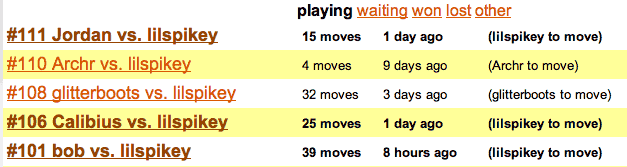
  • highlighting games that it’s your turn to move in:

    yourturn.gif

  • PGN (portable game notation) output for games:
    pgn.gif

  • improved test coverage

chrss (chess by rss) update 17

September 18th, 2007

This update adds two features:

  • you can now offer a draw to an opponent
  • comments are now included in rss feeds for games and users

The first new feature was needed so I could finish this game. A bit like when I had to add the ability to resign a game. That’s probably the last major missing feature added. I could add code for detecting threefold repetition or the fifty move rule, but that seemed overkill for what I have in mind for chrss. After all it’s meant to be for playing friendly games of correspondence chess - so agreeing whether to draw a game should not be a problem.

I also figured that adding comments to the rss feeds might be nice. With a game like chess, moves can be few and far between, so making the rss feeds a bit more active might be quite good. It also means you can nudge your opponent - as leaving a comment will show up in their feed reader and might well serve to remind them it’s their turn to play!

I’ve still got PGN in mind for my next feature. I imagine I’ll need to spend a bit of time to make sure that the exported PGN files will work with other chess programs.

chrss code coverage

September 1st, 2007

I’ve generally speaking been a fairly good boy when it comes to writing unit tests for chrss, but I know I haven’t covered everything. Most of the focus has been on the underlying chess module, so I thought I’d best have a look and see what my actual unit test code coverage was like (i.e. how much of the code is actually getting run during tests).

Nosetests has a handy --with-coverage option, that requires installing coverage.py, for just this problem.

Running:

nosetests --with-coverage --cover-package=chrss --cover-erase

Then gives me the following output:


Name                     Stmts   Exec  Cover   Missing
------------------------------------------------------
chrss                        0      0   100%
chrss.chess2               578    549    94%   69, 260, 274, 281-286, 302, 340, 343-344, 347, 349, 351, 365, 367, 371, 382-384, 387, 389, 391, 680, 886, 918, 921, 939
chrss.config                 0      0   100%
chrss.controllers          504    232    46%   35-36, 39, 50, 52, 54, 56, 58, 60, 62, 186, 195, 197, 210-237, 248-257, 261-266, 271-277, 282-290, 296-301, 307-311, 316-323, 330, 341-346, 352-380, 428, 435, 462, 478-479, 482-494, 498, 508, 512, 516, 520, 524, 529-531, 537-553, 558-566, 593, 601, 606-618, 627, 630, 636-637, 644-648, 652-678, 683-685, 690, 694-710, 714-739, 744-755, 758-760, 763-776, 779-798
chrss.model                325    228    70%   66, 68, 75, 82, 84, 91, 94, 101, 106, 115, 131-133, 136-142, 160, 164, 170-179, 187, 191-198, 207, 209, 222-224, 228, 231, 237, 245-265, 308-310, 326-335, 338-339, 354-355, 427-436, 439-442, 445-446, 455, 458-461
chrss.rest                  31      0     0%   1-43
chrss.rss                   86     50    58%   14, 18, 48-58, 67, 81-91, 95-105
chrss.templates              0      0   100%
chrss.templates.master     305    236    77%   28-29, 43, 61-65, 79, 107, 135, 148, 217, 226-249, 268, 295, 321, 346, 357, 409-430, 444-447, 453, 509-510
chrss.urls                  34      0     0%   1-57
chrss.widgets              131    115    87%   7-11, 61, 68, 109-114, 147-148, 158
------------------------------------------------------
TOTAL                     1994   1410    70%
----------------------------------------------------------------------

So overall I am (apparently) managing 70% coverage and the core chrss.chess2 module has 94% coverages. Not too bad I suppose. However I could do better and there are some notable gaps. In particular chrss.controllers only has 46% coverage and that represents some fairly important code for the whole site.

I’ve held of writing tests for some of the controller functions, as they involve sending email (signups, resetting passwords etc). I’ll have to write some sort of email mock class for that purpose, but it will be worth it as I can then be more certain things are working as they are intended.